Deconstructing Reality Composer Pro (Inspector Basics)
Dual-mode Inspector: scene layer shows global stage metadata (upAxis, metersPerUnit), while prim inspection displays transform, materials, and references. UI presents cm/degrees; USD persists meters/quaternions with rotationEulerHint for round-trip editing.


The Inspector in RCP focuses on context-sensitive information, precise input, and the management of components (as in ECS). For the first, we need a stable element selection system; for the second, we need a dynamic display of properties with the entire state flowing; and for the third, we will need to dig into USD Schemas...
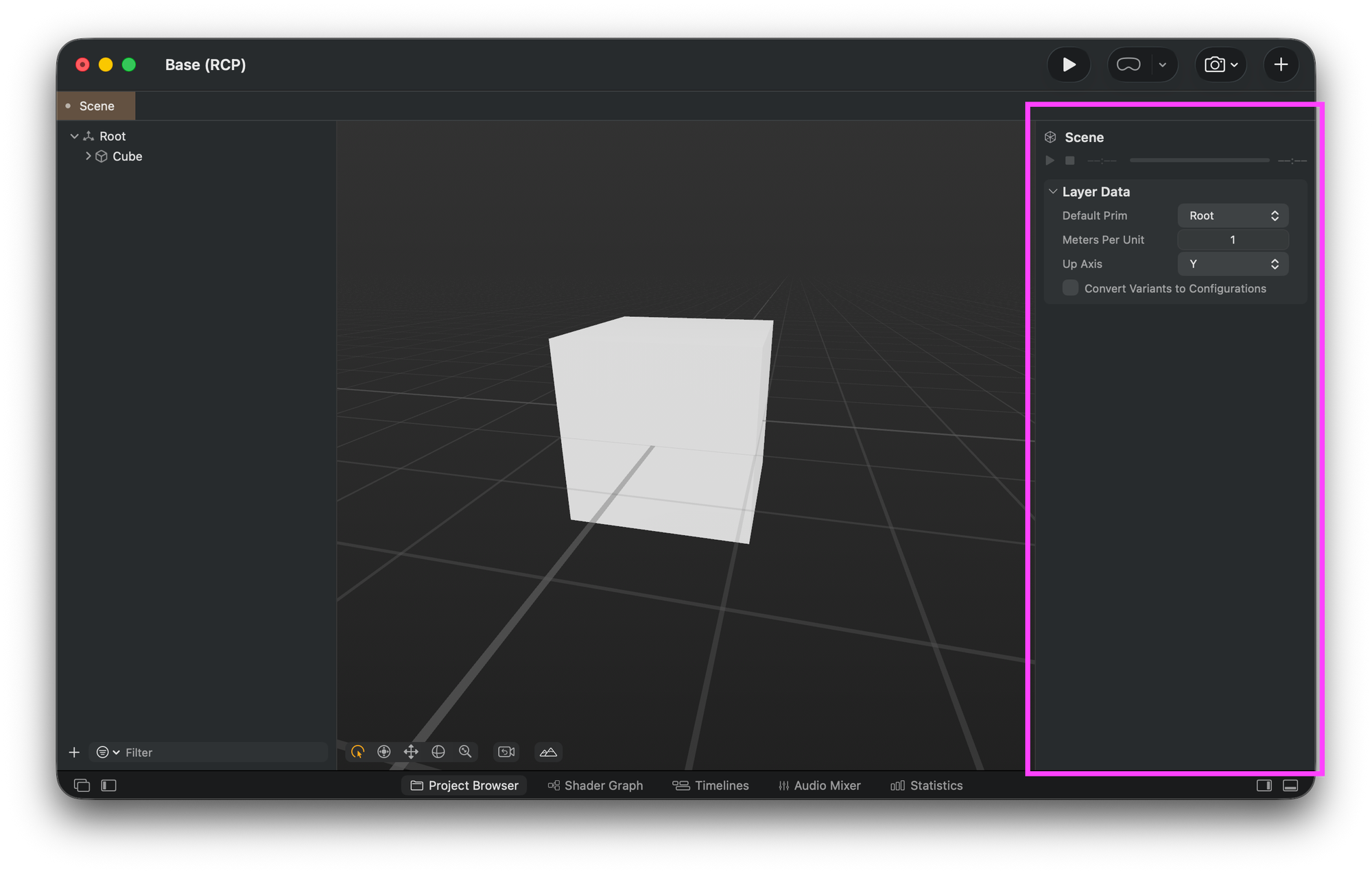
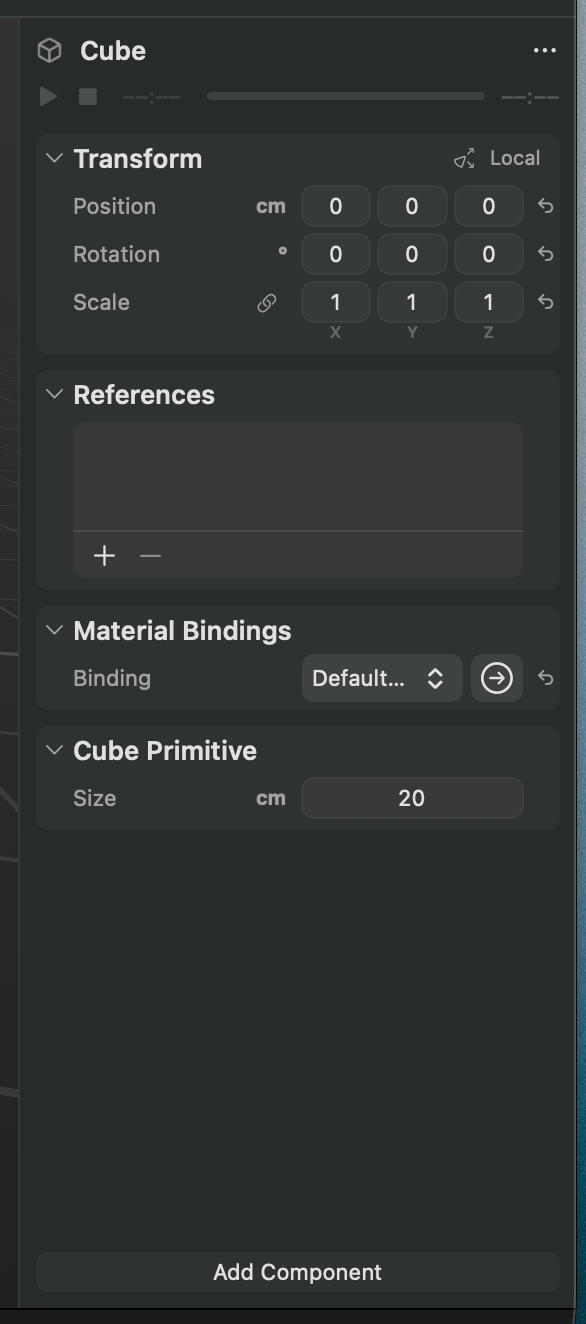
The Scene Layer data inspector displays prim selection, Meters Per Unit, and Up Axis options.can also be seen
All this functionality will require some iterations to get feature parity. So to get started, we will focus on basic context selection and default property inspection.
The Deconstructed inspector will operate as a dual-mode system that switches between scene layer inspection (nothing selected) and prim inspection (object selected).
enum InspectorTarget {
  case sceneLayer          // Global scene properties
  case prim(path: String)  // Specific USD prim
}
Layer Inspection (Nothing Selected)
Data Sources
When a scene URL is set, the inspector triggers loadLayerData(), which extracts metadata from the USD stage, which returns a USDStageMetadata struct containing:
Spatial Configuration:
upAxis(Y or Z coordinate system)metersPerUnit(unit conversion factor)defaultPrimName(entry point prim)
Animation/Playback:
startTimeCode/endTimeCode(timeline bounds)timeCodesPerSecond(frame rate)autoPlayandplaybackMode(behavior flags)animationTracks(list of animation names)
For now, the animation UI in the inspector will be read-only and will not trigger any type of global animation, as that will require some runtime animation component tweaking to get it right; having a data representation is our prize at the moment.
Prim Inspection (Object Selected)
Data Loading Sequence
When a user selects a node in the scene navigator, the inspector triggers a cascade of async data loading:
- Immediate: Selection ID stored in state
- Async Batch: Multiple parallel queries:
allMaterials()- Discovers available materials for binding dropdowngetPrimAttributes()- Retrieves prim metadata (type, visibility, purpose)getPrimTransform()- Gets position, rotation, scalematerialBinding()- Current material assignmentprimReferences()- External file references
Where the Transforms Are
The essential data handled by the inspector for any prim selection is the Transform. It presents human-readable Decomposed Components (TRS) and also enables real-time editing of those components. When the values are changed, they persist directly in the USD.
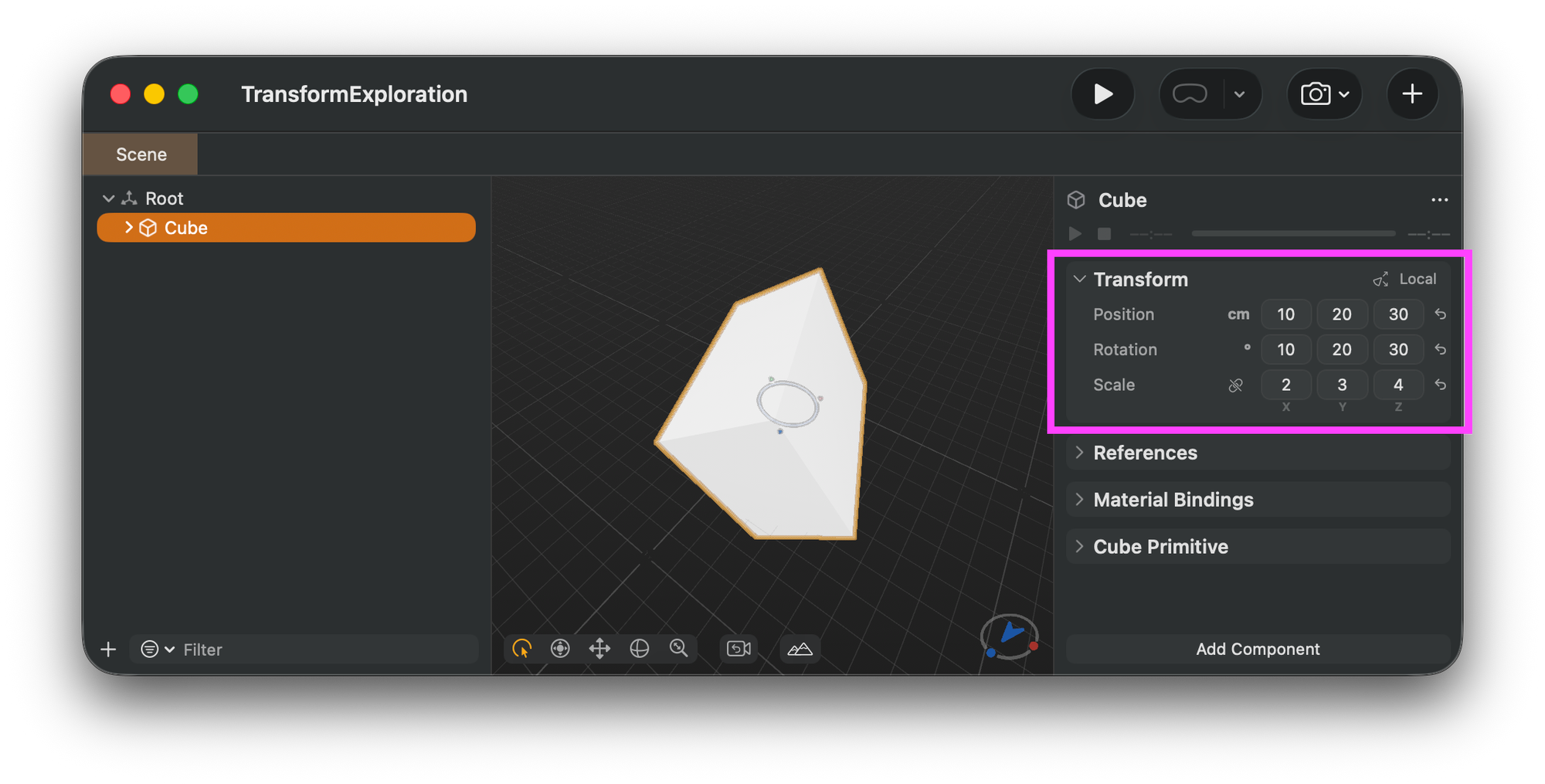
Here is an example showing the result of placing a cube on the RCP and transforming it.
def Cube "Cube" (
    customData = {
        float3 rotationEulerHint = (0.17453292, 0.34906584, 0.52359885)  # RADIANS!
    }
)
{
    quatf xformOp:orient = (0.9515485, 0.03813458, 0.18930785, 0.23929836)
    float3 xformOp:scale = (2, 3, 4)
    float3 xformOp:translate = (0.1, 0.2, 0.3)
    uniform token[] xformOpOrder = ["xformOp:translate", "xformOp:orient", "xformOp:scale"]
}
What You See vs. What Gets Saved
The UI (RCP Inspector)
- Displays: Position (cm), Rotation (Euler degrees) and Scale (on the
metersPerUnitscale) - Shows the result of matrix decomposition
- Units converted for human readability (meters → cm, radians → degrees)
USD Persistence
- Runtime representation: Quaternion (
xformOp:orient) + scale (xformOp:scale) + translate (xformOp:translate) - Transform order: Explicit
xformOpOrderarray defines operation sequence
The customData = { float3 rotationEulerHint = (rad, rad, rad) } is RCP's "metadata gift." When RCP opens a USD file authored elsewhere (no rotationEulerHint), it:
- Reads the quaternion from
xformOp:orient - Converts to Euler (radians) for convenience
This is pure syntactic sugar. If you open that file before it has interacted with RCP, you'll see the quaternion, not Euler angles.
 elkraneo