Meta Haptic Studio format to AHAP

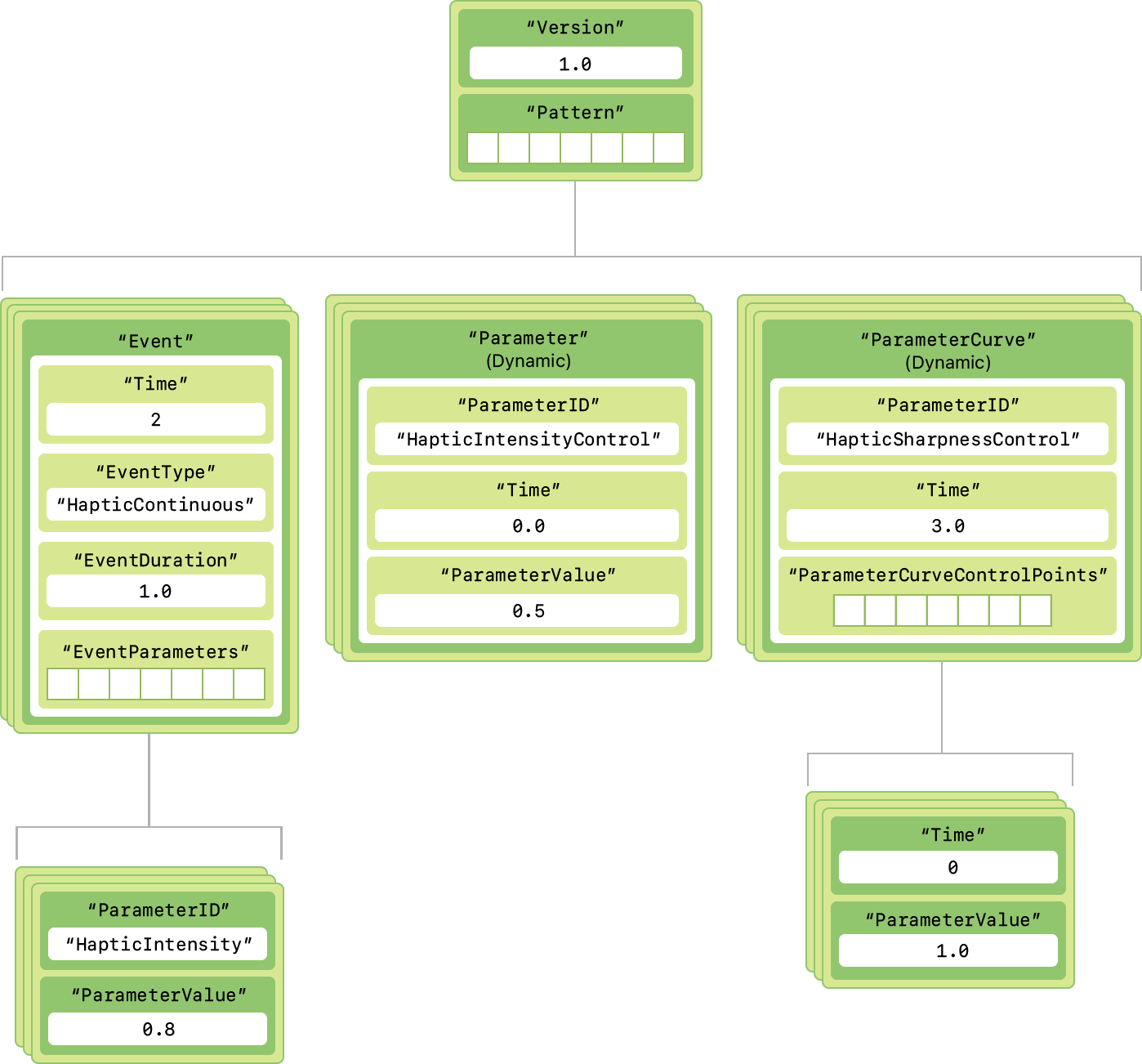
Meta Haptic Studio is primarily intended for use with XR devices such as Meta Quest 3 and engines like Unity. However, if you're wondering how to use this on Apple platforms, you're in luck because the output format is open and can be converted.
Thank you again to the Reality Labs team for the solution-driven development, decisions, documentation, and especially Neil Burdock for pointing out NiceVibrations and OSS solutions 🙌
Steps
- Download Meta Haptic Studio
- Create a haptic pattern and export it using
.hapticformat - Download the latest release of haptic2ahap
- Run the tool using the
-nflag to create valid AHAP files - Import in your Xcode project (or use this sample code) and enjoy.
⚠️
Regarding step 4, Neil's Comment
...the -n flag has a side effect:"Create a unified AHAP file instead of splitting it into two (continuous and transients). Note that such a unified AHAP file will not play back transients correctly, as the CHParameterCurves for the CHContinuousEvents will also be applied to CHTransients, thereby undesirably modifying the intensity and sharpness of the transients.For correct playback, the two split AHAPs should be played in parallel."
This is a limitation/design issue with the AHAP format. For many effects this won't make much difference but for some it will.
Of course playing 2 ahaps is painful, but it's worth keeping in mind. The .haptic format does not have this knock on affects, continuous ampltitude or frequency curves do not affect emphasis points values.
Another option is to build the Lofelt SDK for iOS include it in your app and play .haptic files directly - the SDK handles the splitting and correct playback of transients and continuous curves.
Links
Core Haptics | Apple Developer Documentation
Compose and play haptic patterns to customize your iOS app’s haptic feedback.

Representing haptic patterns in AHAP files | Apple Developer Documentation
Understand the Apple Haptic and Audio Pattern (AHAP) file format.
Playing a Custom Haptic Pattern from a File | Apple Developer Documentation
Sample predesigned Apple Haptic Audio Pattern files, and learn how to play your own.